
Install the player, WhatsApp us for a one-day trial, and add the account in its matching format.
Choose the app before choosing the account
8K Player VIP, VIP+, Fast 8K and Prime are separate download entries. Start with the exact name displayed on the installed app. For an Android TV device, use a television-friendly build; a Windows installer belongs on its matching desktop platform. A native Smart TV app can use a different registration route from an Android player.
Open Playlists or Add Playlist
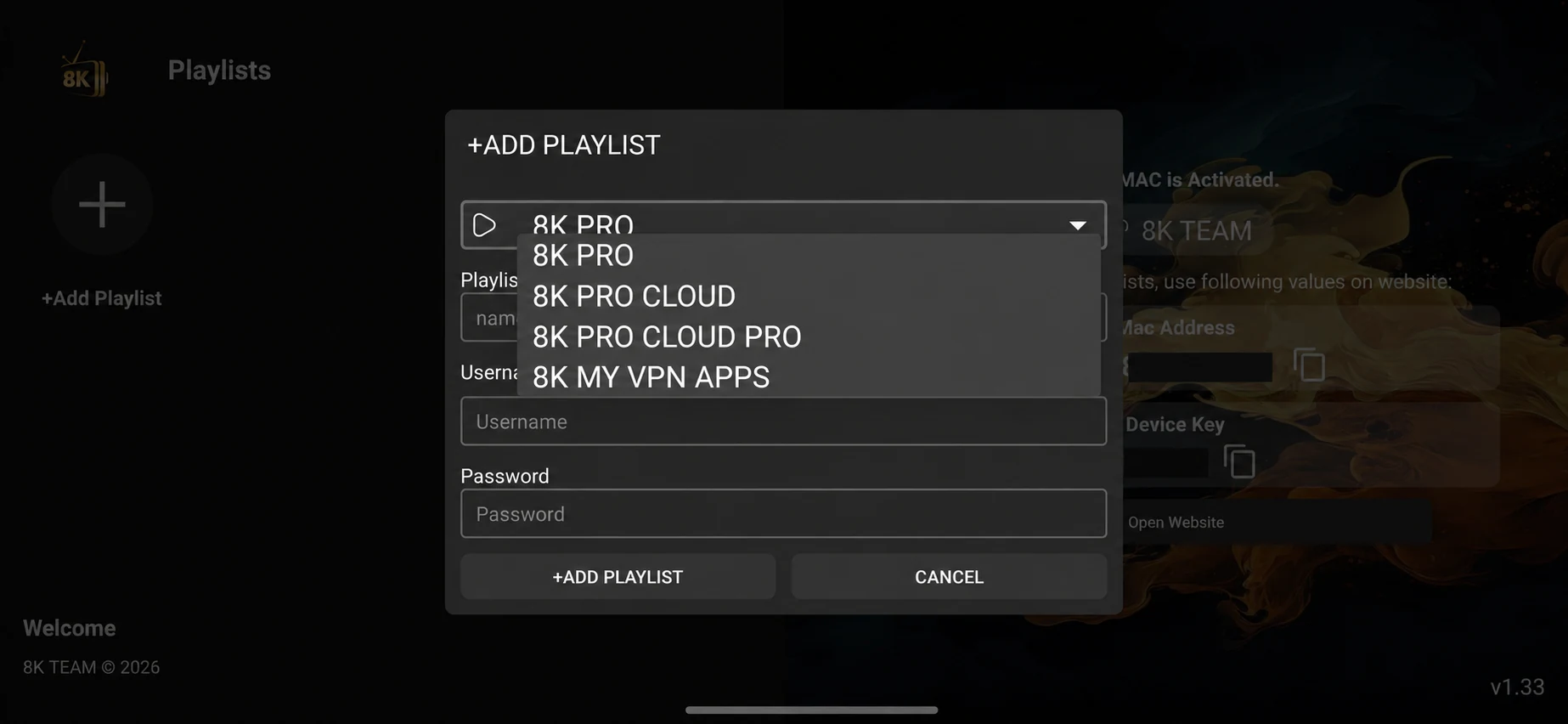
Open the supported player and locate its playlist area. Some versions start with a plus button; others offer an Add Playlist screen. Use the interface on your device rather than a menu name from a different version. Keep the supplied screenshots beside you to match the layout.
Match the server to your issued account
The supplied 8K Pro menu shows 8K PRO, 8K PRO Cloud, Cloud Pro and My VPN Apps. Fast 8K and VIP players have their own choices, including Cloud and KSA entries. Select the exact option given with your login. These options are account routes inside a player; they are not necessarily separate APK downloads.
Enter the requested account fields
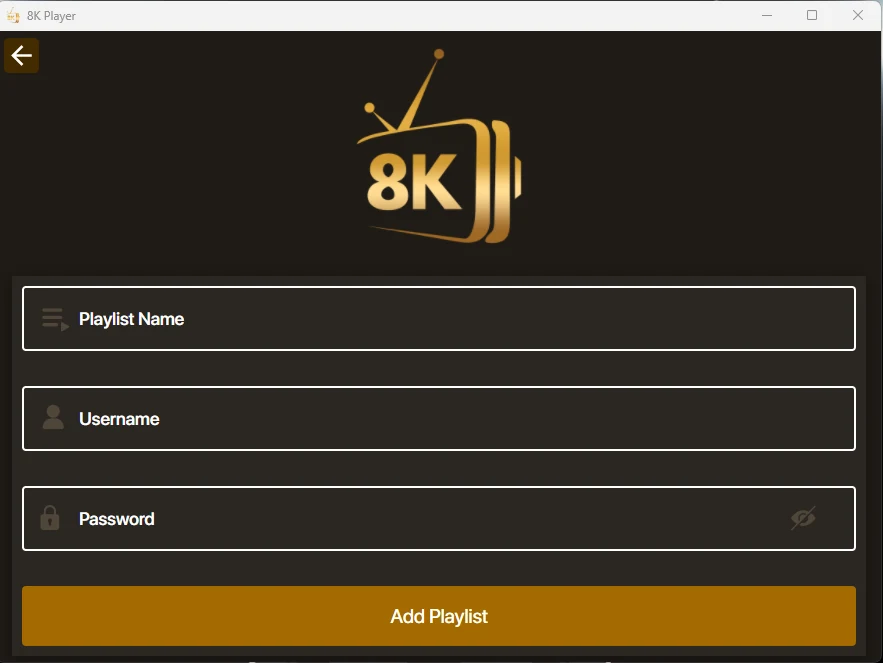
For a username-and-password route, copy the issued username and password into their separate fields. If the app asks for a server address, use the address supplied for that account. If it requests an M3U URL or a portal/MAC registration, follow that format instead. Do not convert a MAC into a username or guess an endpoint.
Save, select and connect
Review the account fields, save the playlist and select it to connect. A saved playlist tile is not the same as a successful active login. If the app provides a connection status, check it, then open a live category. Keep complete passwords and private playlist URLs out of screenshots that you share publicly.
Run a useful one-day trial
Once the app is installed, WhatsApp us for a one-day free trial. Tell support your device, app and server option. Test one live source, one movie or series item, your preferred audio track and the guide where available. Check the result during the time you normally watch, before choosing a longer paid term.
If the playlist does not connect
Check spaces and character case first, then confirm the assigned server and whether the account is activated. Compare another source only after the account loads. When your plan has one connection, stop another active screen before testing. Send support the app name, version, device and a screenshot with private fields concealed.
Keep a recoverable setup
Record the player version, selected server route and account expiry privately. Use an app-supported backup option if offered. Clearing temporary cache can be different from deleting all app data; the latter may remove saved playlists. Before replacing a working app, arrange a way to restore the login and favourites.
What is Team 8K add playlist?
It is the account setup step inside a supported 8K player. Install your app, obtain a matching account and enter the fields requested by that player.
Which server should I choose?
Choose the exact 8K Pro, VIP or Fast 8K server option supplied with your account. The presence of Cloud, KSA or VPN labels does not mean your login works on every option.